Zoom Exclusive
Member Benefit

Exclusive Member Benefit
Whether it’s a virtual keynote, a weekly operations meeting with your team, or a virtual networking event to connect with your peers, you need to be able to reach your clients, business partners, and fellow speakers no matter where you are in the world. But deciding which video conferencing platform is the easiest to use and delivers the most benefit for your hard-earned dollar is a daunting task.
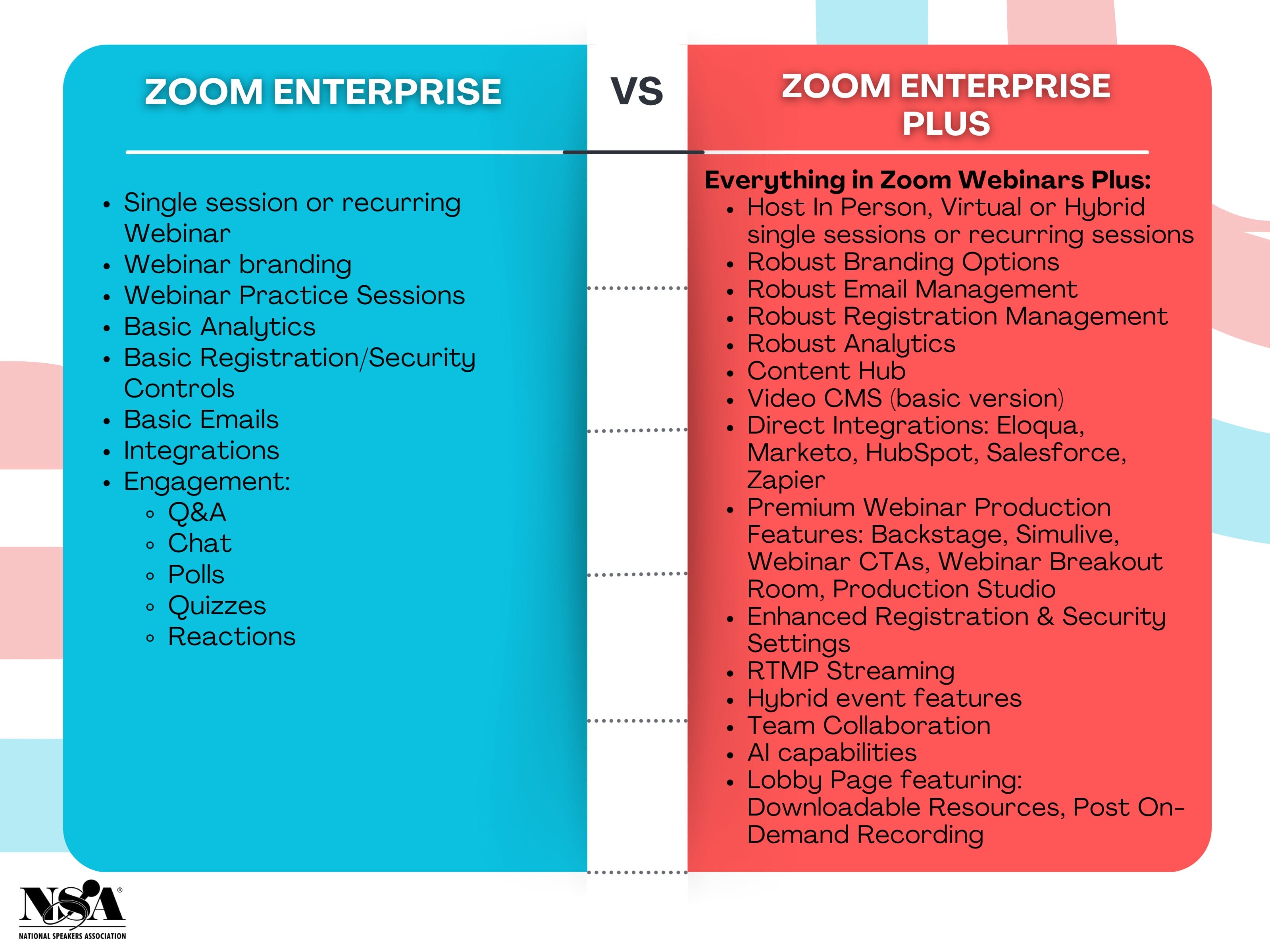
NSA now offers two (2) powerful Zoom subscription options, built to save you hundreds of dollars a year on meetings, events, scheduling, phone, and more.
NSA Members can choose between two options:
Option 1: Zoom Enterprise - $450 annually
(Valued at $2,000/year)
- Meeting License ($149.90/year value)
- Large Meeting ($600/year value for up to 500 participants)
- Webinar 500 License ($690/year value)
- Unlimited Cloud Recording ($480/year value for only 200GB of storage)
- Automatic Transcription
- Live Stream to Facebook
- LTI Integrations
- Custom Personal Meeting ID
- Custom Branding
- Reporting
Option 2: Zoom Enterprise PLUS - $800 annually
(Valued at $3,200/year)
Everything in the Zoom Enterprise option, PLUS:
- Webinar Plus 1000 – Recurring sessions, robust branding, content hub, backstage/breakout rooms ($1,800/year value)
- Large Meeting 1000 – Host up to 1,000 participants ($1,080/year value)
- Real-Time Translated Captions – Supports 30+ languages ($60/year value)
- Zoom Phone – Can replace your current phone plan ($96/year value)
- Zoom Scheduler – May replace Calendly or other scheduling tools ($72/year value)
- AI Companion – Advanced analytics and reporting (included)
- Zoom Docs – Note-taking platform with AI capabilities ($108/year value)
Additional Benefits Include:
It’s time for you to save your valuable time and money.
Subscribe to Zoom today…unless you like paying thousands of dollars more a year.
Zoom Resources
Zoom Learning Center
Zoom Community
Zoom Resource Library
Frequently Asked Questions
Zoom Support:
NSA Zoom Contact: NSAzoomsupport@nsaspeaker.org
Zoom Billing: billing@zoom.com
Zoom Chat Support: https://support.zoom.com
Zoom Customer Support: 1 (888) 799-9666 (2 for Support, 3 for Billing)
- Admin Feature Controls
- Admin dashboard
- REST API
- Zoom Rooms (which is separate from Zoom Breakout Rooms)
- Zoom Apps that require Admin privileges
- Translation
- Zoom Events
- 1. Login to MyNSA
- 2. Click “My Zoom Subscriptions”
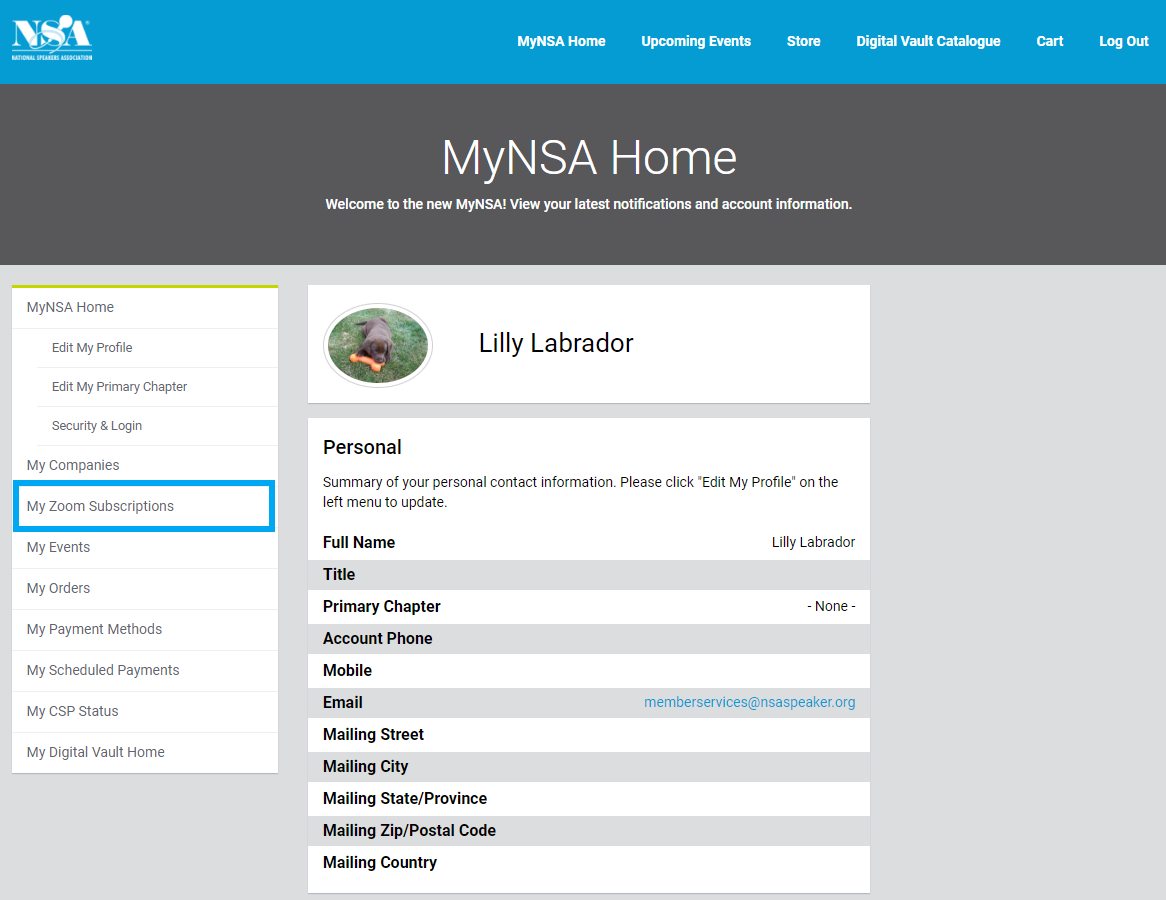

- 3. A Summary of Current Zoom Subscriptions (if any) will be displayed. To add a new subscription, click “Next.”
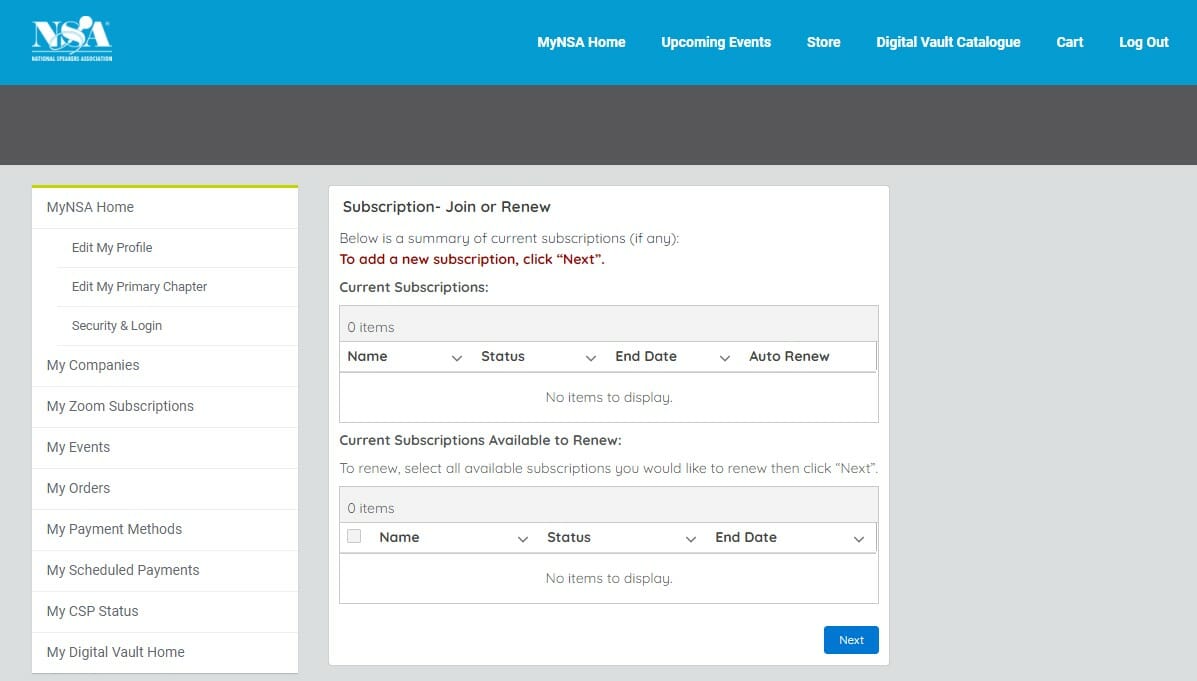
- 4. Enter the email address you would like to add a Zoom license to. This should match your MyNSA login. If you’re adding a subscription for someone else, such as an assistant, you may be asked to create an account for them. See further instruction at step 4B – 4D below.
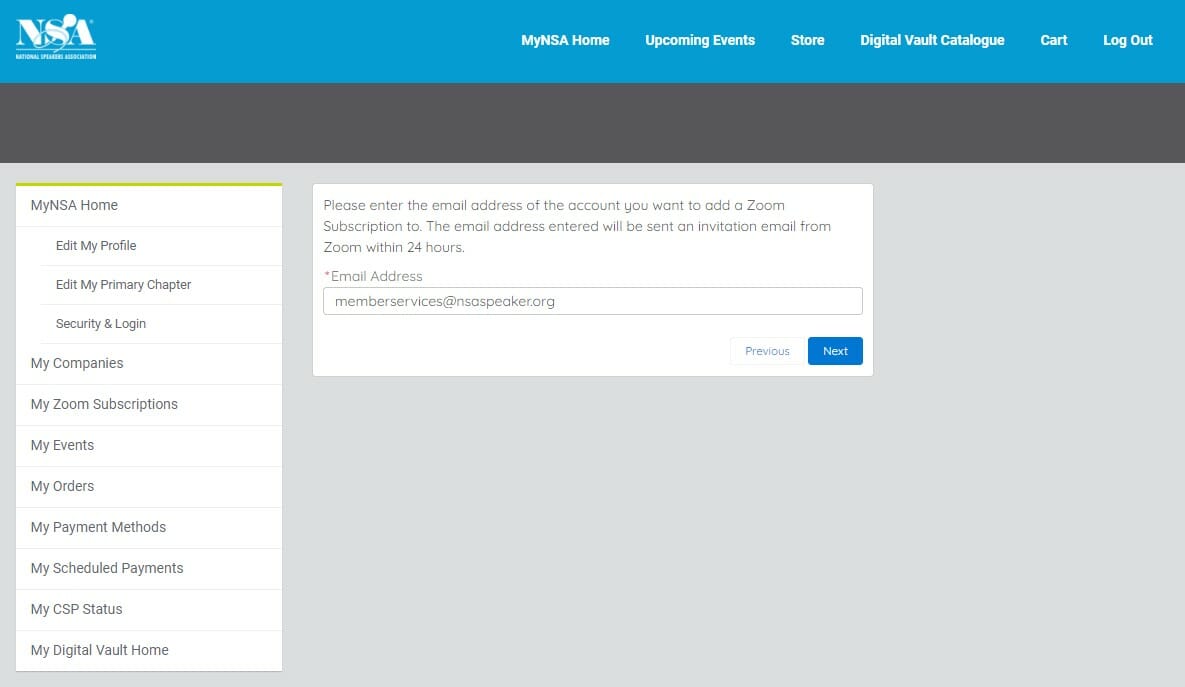
- 5. Subscription successfully added to cart. Click “Next”
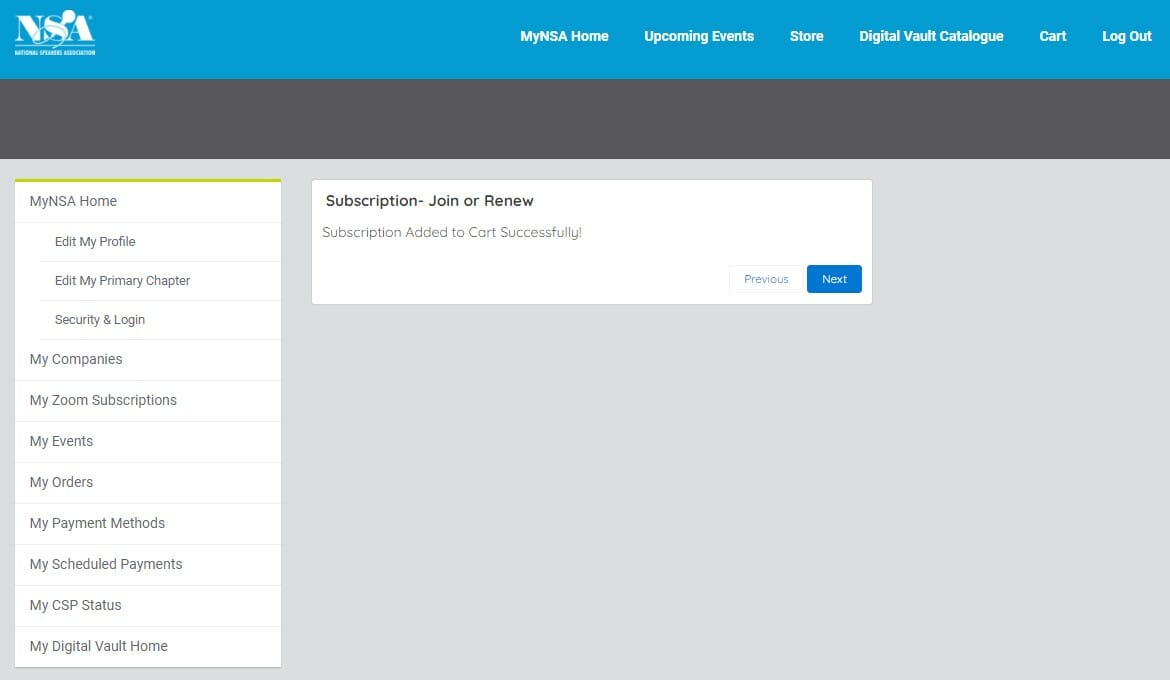
- 6. Add payment and complete checkout.
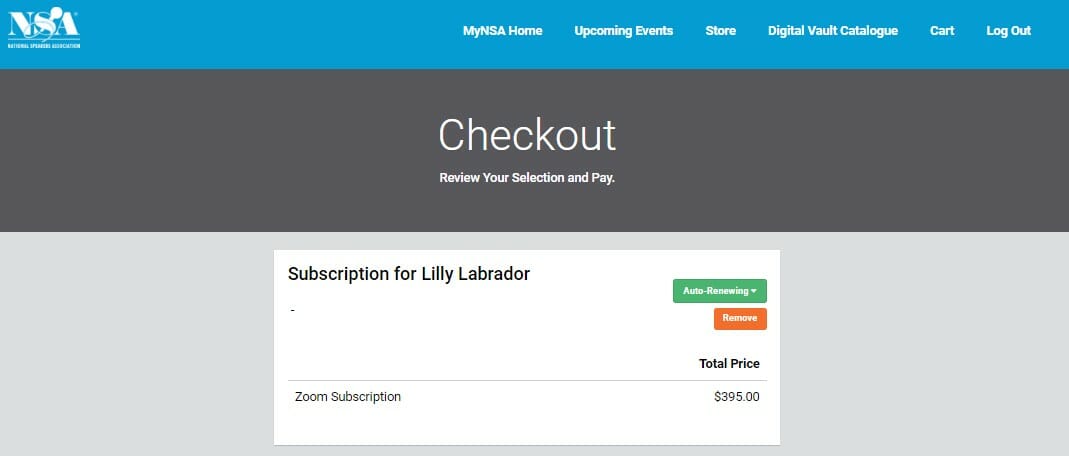
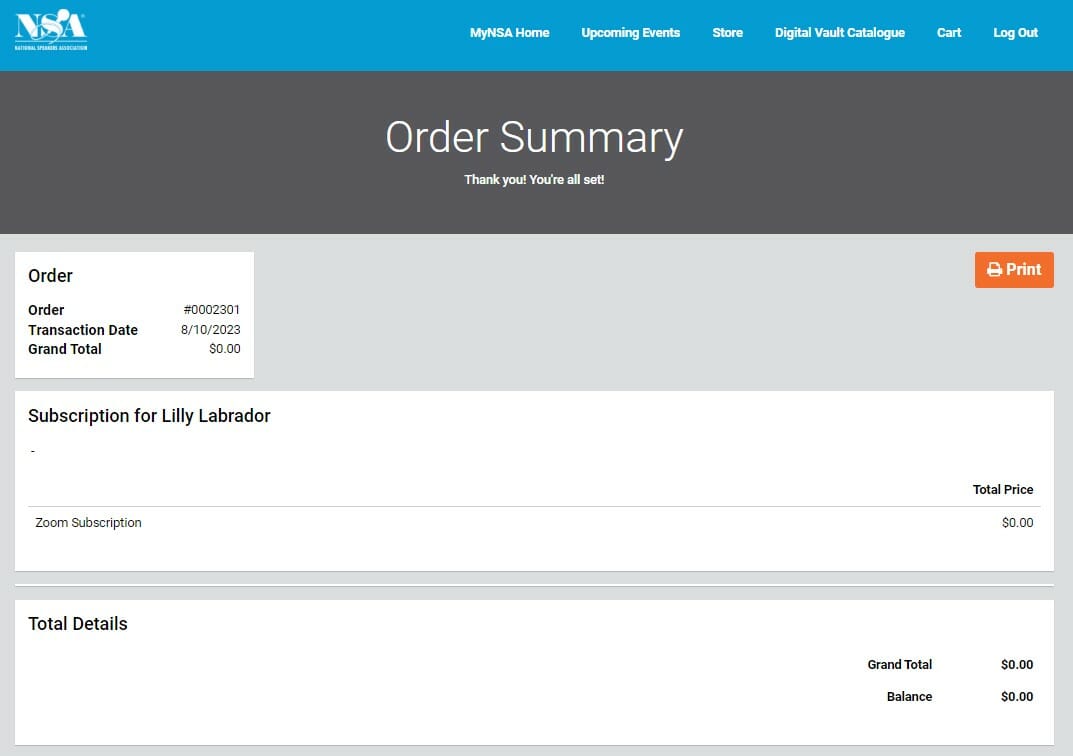
- 7. Order Confirmation (This will also be automatically emailed for your records).
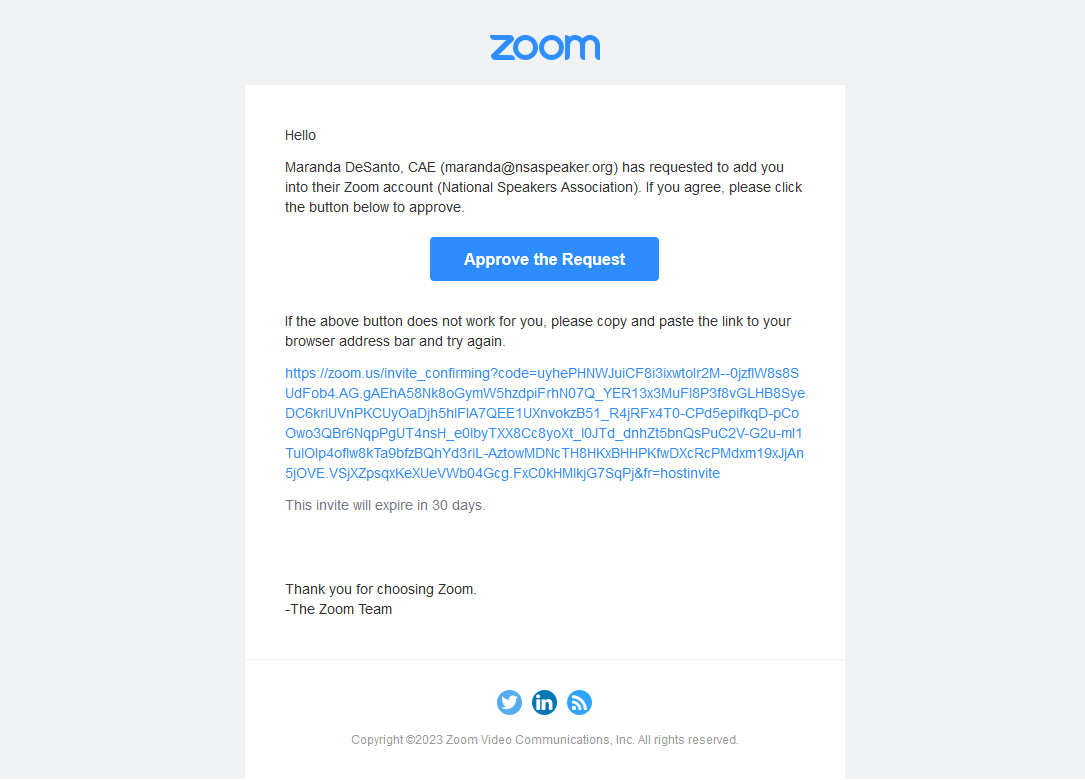
- 8. Within minutes you’ll receive an email from Zoom (no-reply@zoom.us). If you already have an account with Zoom, the subject line will be “Zoom account invitation” and you’ll be asked to join the NSA Enterprise account. You must click “Approve the Request” to complete the process. If you don’t already have a Zoom account, you’ll get a similar email asking you to set up your Zoom account. Within 24 hours of approving the request, you’ll be fully licensed with NSA’s Zoom services!
Adding Multiple Zoom Subscriptions or Subscriptions for Others
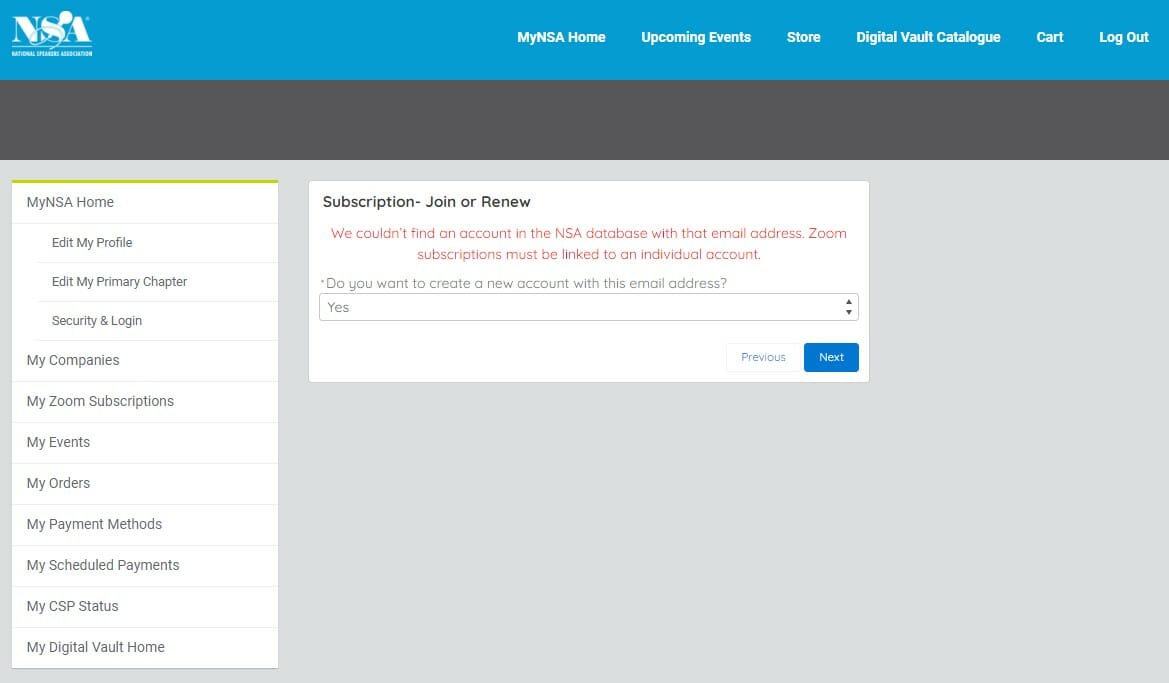
- 4B. If the email entered is not found in the NSA database, you’ll be asked to create an account for them.
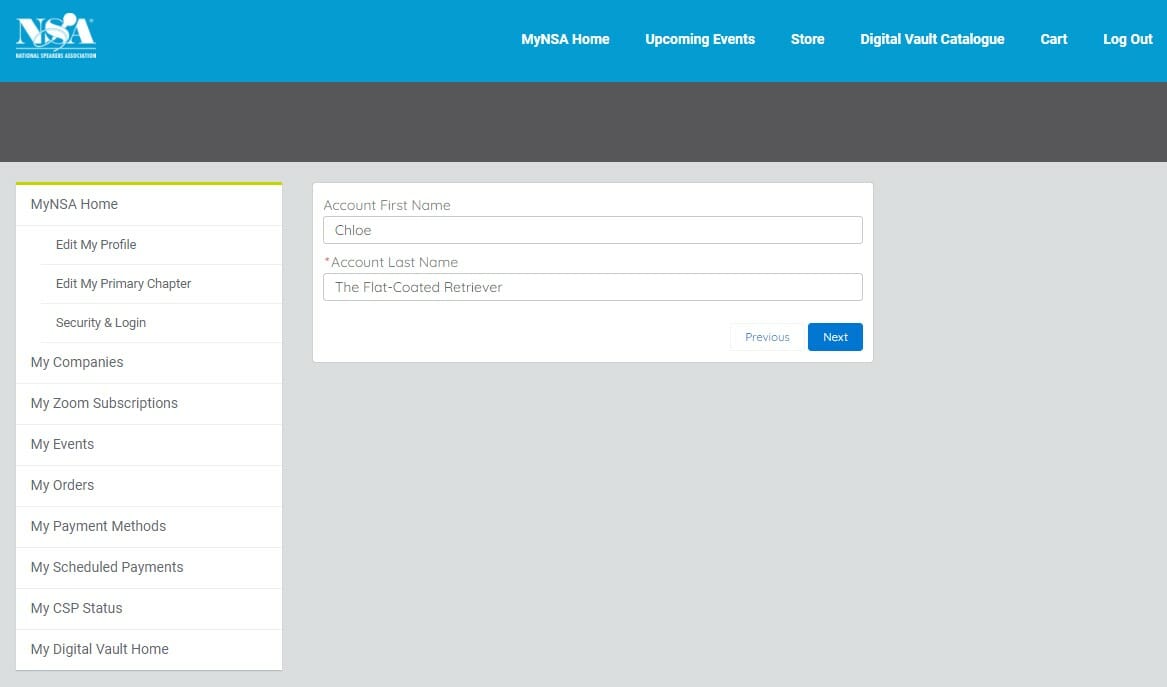
- 4C. Add the First and Last Name for the account.
- 4D. Subscription will be added to your cart. Return to Step 6 above.
You will receive a confirmation email from NSA after your purchase, asking you to allow two business days for NSA to process your order. Look for the email from no-reply@zoom.us in your spam folder if you’re unable to find it in your regular inbox.
If you receive the confirmation to a different email address than the one you would like associated with your Zoom subscription, contact NSA at NSAZoomSupport@NSAspeaker.org.
Your account payments and global enterprise settings are managed by NSA, but the individual account and settings are still managed by you.
If you’re already using Zoom, you can transfer your account to NSA’s discounted program. You will need to use the same email address that is associated with your current Zoom account. More information is listed below, but it’s possible to get a prorated refund for your remaining subscription.
If you have an existing account, Zoom will identify your email address, and ask you several questions that will guide you through your reimbursement process.
When prompted, select “Refund to me” for Zoom to reimburse you, noted in the image below.
Note: The second option refunds the remaining balance to the NSA master account. It’s still possible to get the prorated refund; however, it will increase the length of time it takes to receive it.
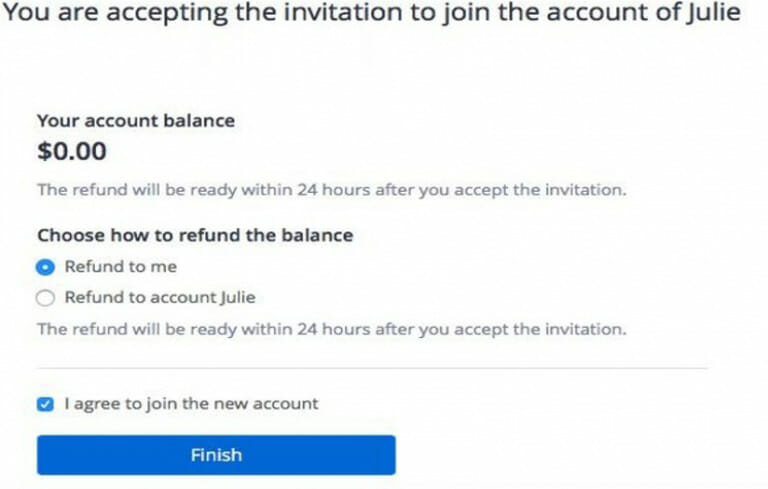
Please note, the reimbursement of the prorated amount will come directly from Zoom in approximately seven business days.
If you followed the listed steps when transferring your account, there should be no action needed. However, if there is a billing issue, please contact Zoom billing directly at billing@zoom.com.
Yes. Any meetings and webinars that you have scheduled already will automatically transfer over to your new account.
Our program includes one host license. If you would like multiple licenses, you can create additional accounts by using different email addresses, and paying the annual fee to NSA for each email address. To add additional licenses, log into your MyNSA Account, select My Zoom subscription and add licenses from there. Steps are listed above.
When you subscribe to the NSA Zoom account, you can create a custom personal meeting ID (Zoom.us/YourTextHere).
Requesting or Finding Approved Zoom Apps for the NSA Zoom License
What is the Zoom Marketplace?
Developers working with the Zoom software have created thousands of apps to improve your Zoom experience and expand your productivity!
What apps can I add?
When you added your Zoom account to the NSA Enterprise account, you lost the ability to act as an administrator on your account as NSA is facilitating that role for all our users. For many legal and confidentiality reasons, NSA cannot provide “Admin” rights to our members/users.
How do I find apps that might help me?
While you can browse through all the available apps and categories available, NSA is only able to approve those apps that do not require the “Admins” user role. Select the “Any user” filter.
Zoom Marketplace - https://marketplace.zoom.us/
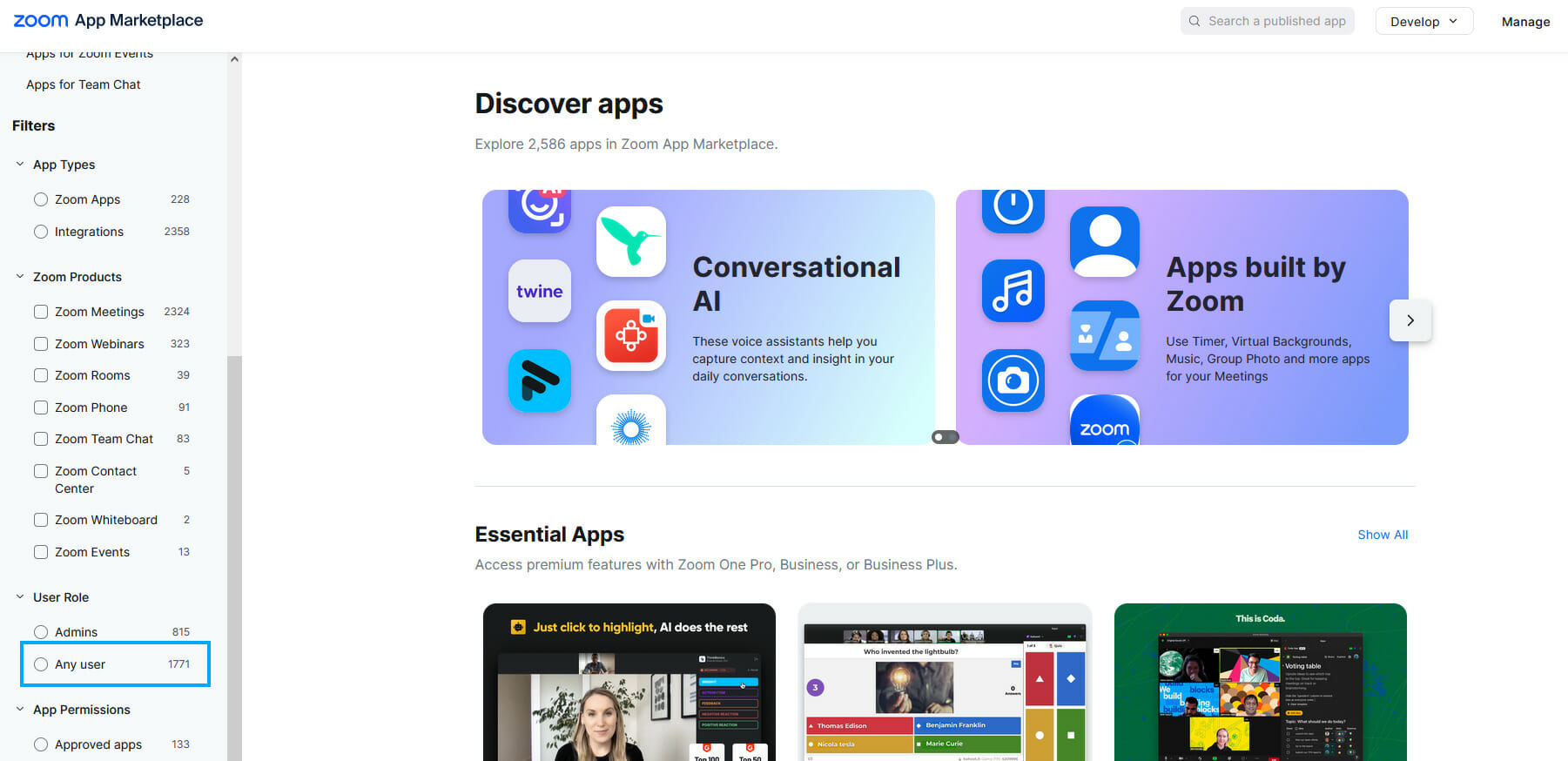
How do I request an app to be approved by NSA?
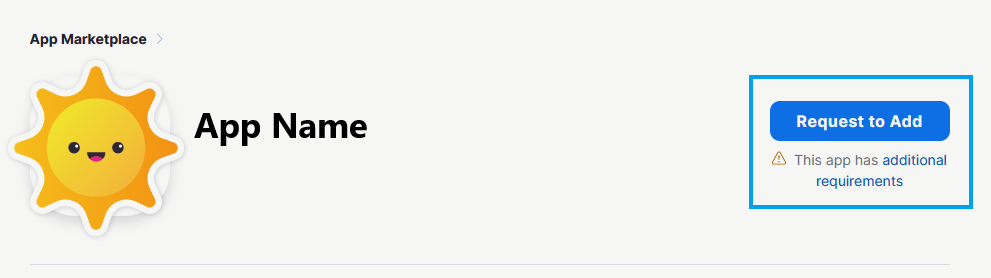
If you find an app you’d like to use that isn’t already approved, click “Request to Add.” NSA staff will review the request and approve or deny the app within 5 business days. Apps are generally approved unless they require permissions that would affect the usage or security of other user accounts under the NSA Enterprise license.
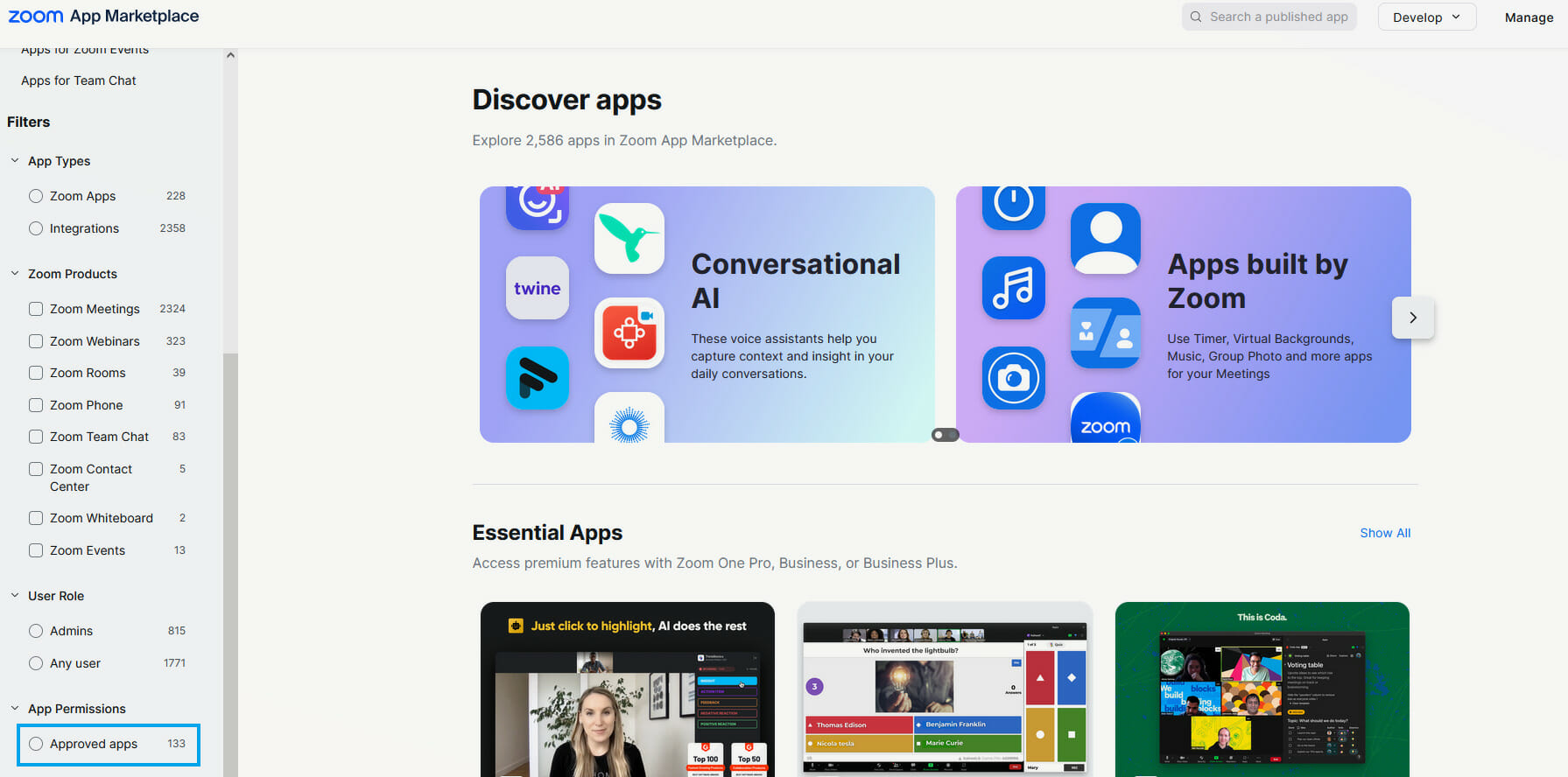
How can I view already approved apps?
You can also filter by apps that are already approved by clicking the “Approved apps” filter while you are logged in to your account.
How do I add an app that has already been approved?
Once you find an app you’d like to use, just click “Add” to enable it on your account.